
 |
 |
 |
(Note: In a demo version SSA Gap-Filling is available only for data in example projects. In a licensed copy this feature is enabled after activation with a purchased Serial No.).
A novel, iterative form of SSA is used to analyze univariate datasets with uneven sampling or missing observations. Gaps are filled-in by utilizing temporal correlations in the dataset. File data with "NaN" values (case insensitive) are treated as missing. Gap-filling feature is available in Advanced options of SSA panel. Please see MSSA Gap-filling for multivariate datasets.
The user needs to select the data in the Data pop-up menu of SSA tool, specify the SSA window size (large enough to cover longest temporal correlations; it can be the largest temporal periodicity in the dataset), and the number of SSA components. Then gap-filling can be done just by clicking Fill in Gap-filling box of Advanced options. The filled-in data is stored in the vector with a name specified in Result box, while the SSA spectral estimate is stored in matrix with a name specified in Spectrum box on main SSA panel. Estimated leading T-EOFs and T-PCs, up to the specified number of SSA components, are stored in matrices with names obtained by prefixing "eof_", and "pc_" to a Spectrum name, and can be accessed in Data I/O tool. They can be plotted by selecting rows from SSA components table in Advanced options, and hitting a Plot PCs or Plot EOFs button. The estimated leading T-EOFs and T-PCs can be used for reconstruction as well.
By clicking Plot in Result, user can compare the gappy and dataset with missing values filled-in. When plotting missing data, user can select in Preferences option to connect all the available points through gaps:
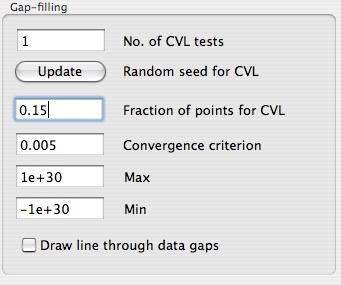
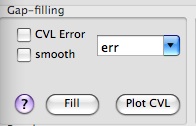
The number of SSA components one has to use really depends on the dataset, and in particular on the amount of noise present. The main idea is to discard higher-ranked components corresponding to noise. If CVL error box is checked in Gap-filling options, a number of cross-validation experiments is performed (set in Preferences), where a small portion of the existing points is flagged as being missing (in random), and the rms error is calculated for filled-in data. The optimum number of components corresponds to a minimum of such error averaged over all cross-validation sets. The error can be plotted by Plot CVL button. The random seed for choosing the points for cross-validation can be changed in Preferences, as well as convergence criterion for missing values. User can perform such cross-validation experiments for different SSA Window values in order to find optimum parameters for gap-filling. In addition, range of values of filled-in data can be constrained by setting optional Max and Min limits. The percentage of the dataset variance used to fill the gaps is written to Log.
If smooth box is checked in Gap-filling options, then Result will be the estimated smooth component of dataset everywhere, including the points with available data. Otherwise, Result will take values of existing data, and the missing values will be filled-in with the smooth component. If results from several gap-filling calculations have been stored in different vectors, the parameters used (including Preferences) will be restored in GUI by simply selecting correspondent vector from a Result pop-up list.
Here we demonstrate Toolkit capabilities for gap filling on synthetic time series, with and without noise, following Examples/Univariate Gap Filling folder of kSpectra distribution.
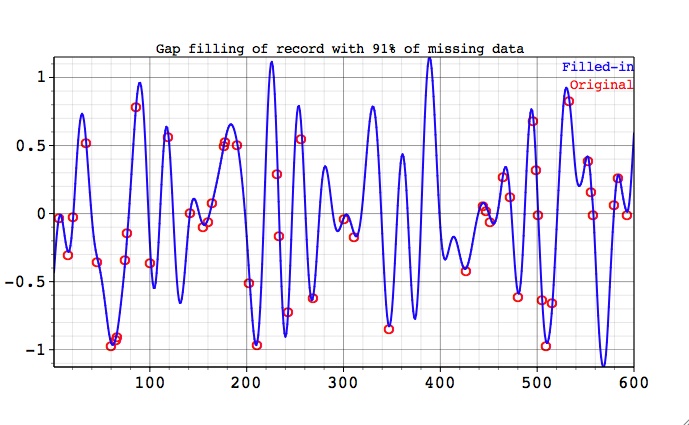
First we consider the synthetic test series, 600 data points long, which consists of oscillatory component with a period of T=40 units. This oscillation is modulated both in amplitude and phase with period of T=120. The gaps are created by selecting in random 91% of datapoints. Figure below shows filled-in and gappy datasets.
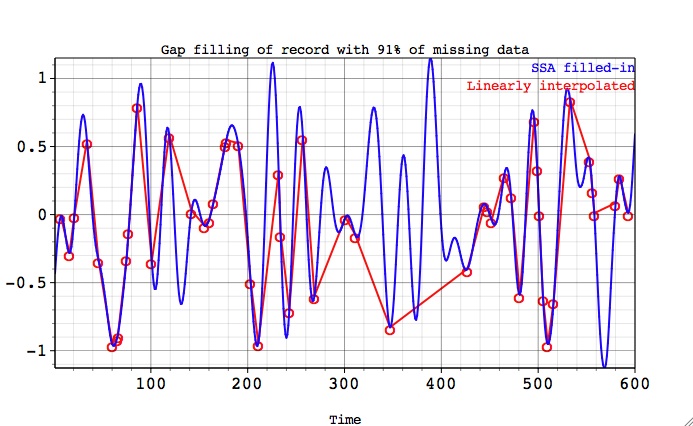
By using "draw line through data gaps" in Preferences (see above), user can compare SSA-filled in data with the linear interpolation between available data points:
Next figure shows the almost perfect reconstruction of missing observations by comparing filled-in and the original (full) data.
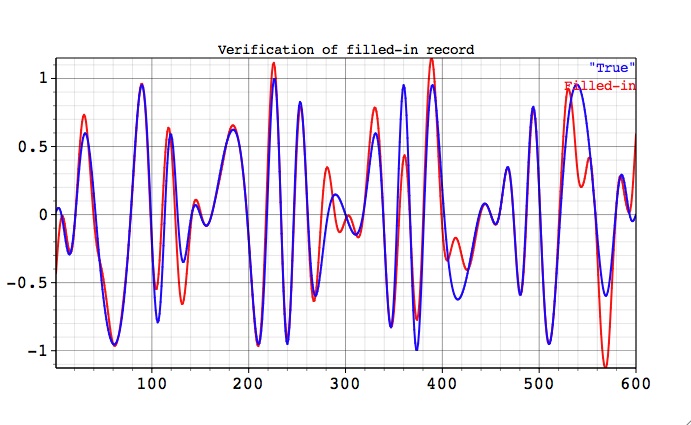
For such a pure oscillatory signal there are no "noise" SSA components, so in this case we used large (25) number of components with SSA window equal to 120. This result can be confirmed by performing cross-validation as described above.
Next, we consider the same oscillatory carrier signal contaminated by large amplitude white noise. Two gappy data sets have large continuous gaps in different locations. Figures below show how the data in the gaps is filled-in by the estimated oscillatory component.
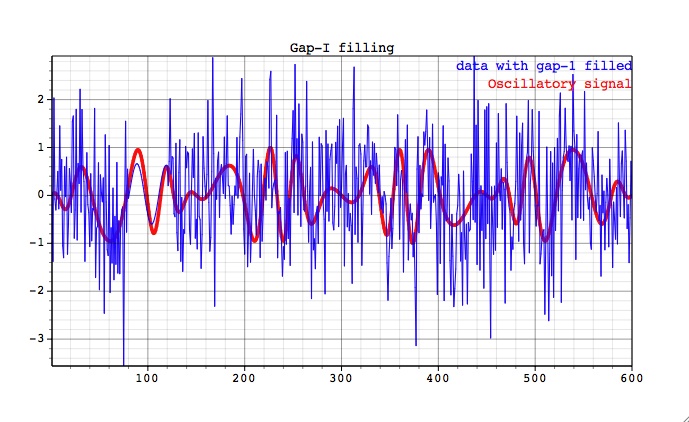
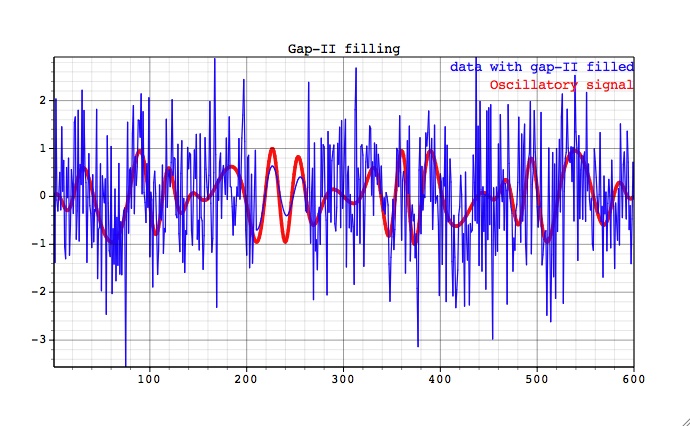
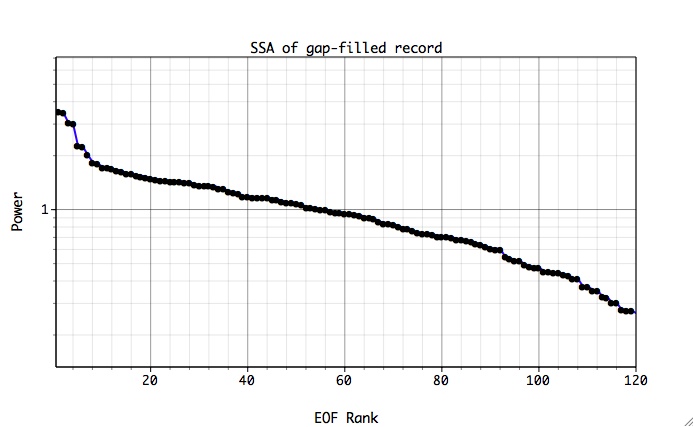
The reconstruction above corresponds to the seven leading SSA components that contain the oscillatory signal only. When number of components is increased, the reconstruction in gaps will involve noise, which can be also useful for some applications. Break in the slope of SSA spectral estimate for filled-in data, indicates separation of oscillatory modes from noise (use Plot on main SSA panel).
|
|
|
|